



Tip Tuesday: ZipList
February 12, 2013

Today’s Tuesday Tip has nothing to do with baking or cooking but will help simplify your life! Some of you may know what ZipList is and others may not have heard of it. This past week I partnered with ZipList so that my site would be more user friendly with recipes. ZipList allows users to create an online grocery list, recipe saver and meal planner and IT’S FREE! More and more blogs are adding this feature so that you can save recipes from all over the internet including one of their partnerships with Epicurious.
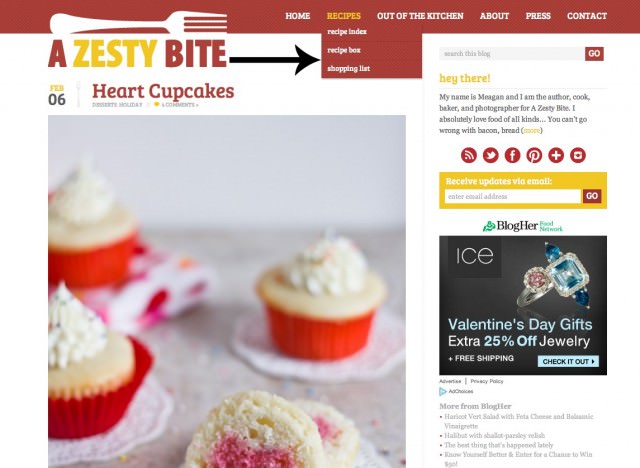
You can access ziplist at the top of my screen on any page by hovering over Recipes and then a drop down box will appear. Once you have created a ziplist account you can access your recipes or shopping list by clicking on “recipe box”or “shopping list.”
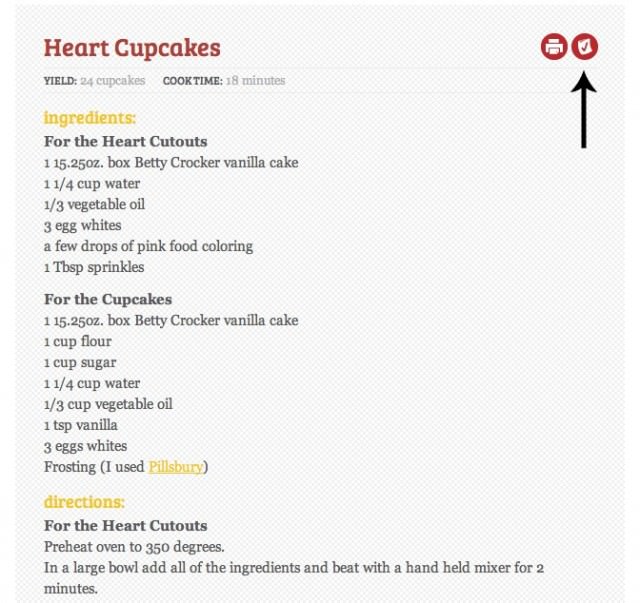
A great feature with ZipList is that you can now save a recipe from my blog that you want to make at home, by just clicking on the checkmark on the grocery bag. (as shown above)
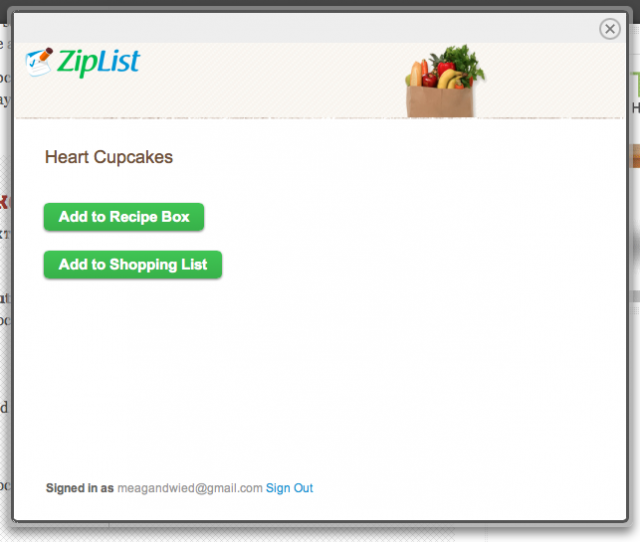
A box will then pop up asking if you want to save it to your grocery list or save it as recipe that you may want to make in the future.
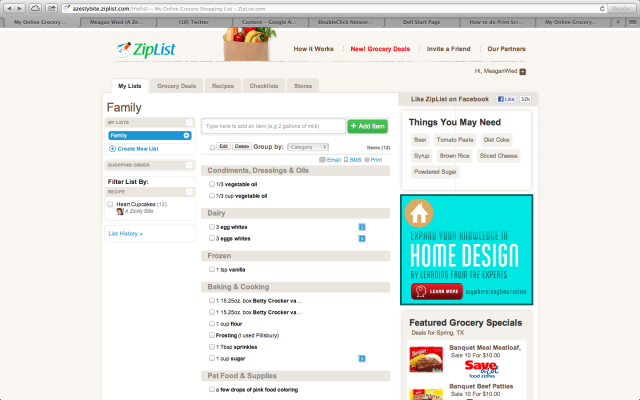
The picture above is showing how your grocery list will be shown after you save a recipe. You can click on the item and alter it at anytime by going to ziplist. It gets even better if you have a smart phone. I downloaded the ziplist app and now I have my grocery list when I go to the store. I highly recommend this website and app to EVERYBODY because it is so helpful to keep all your recipes and an ongoing grocery list.
ENJOY ~ Meagan

Leave a Reply









I almost took the ZipList plunge a couple years ago but the thought of turning all my recipes into actual formatted recipes felt daunting. Now I SO wish I had done it. I feel like I better just do it now or in 2 years I’ll be regretting it again!
I say take the plunge!